
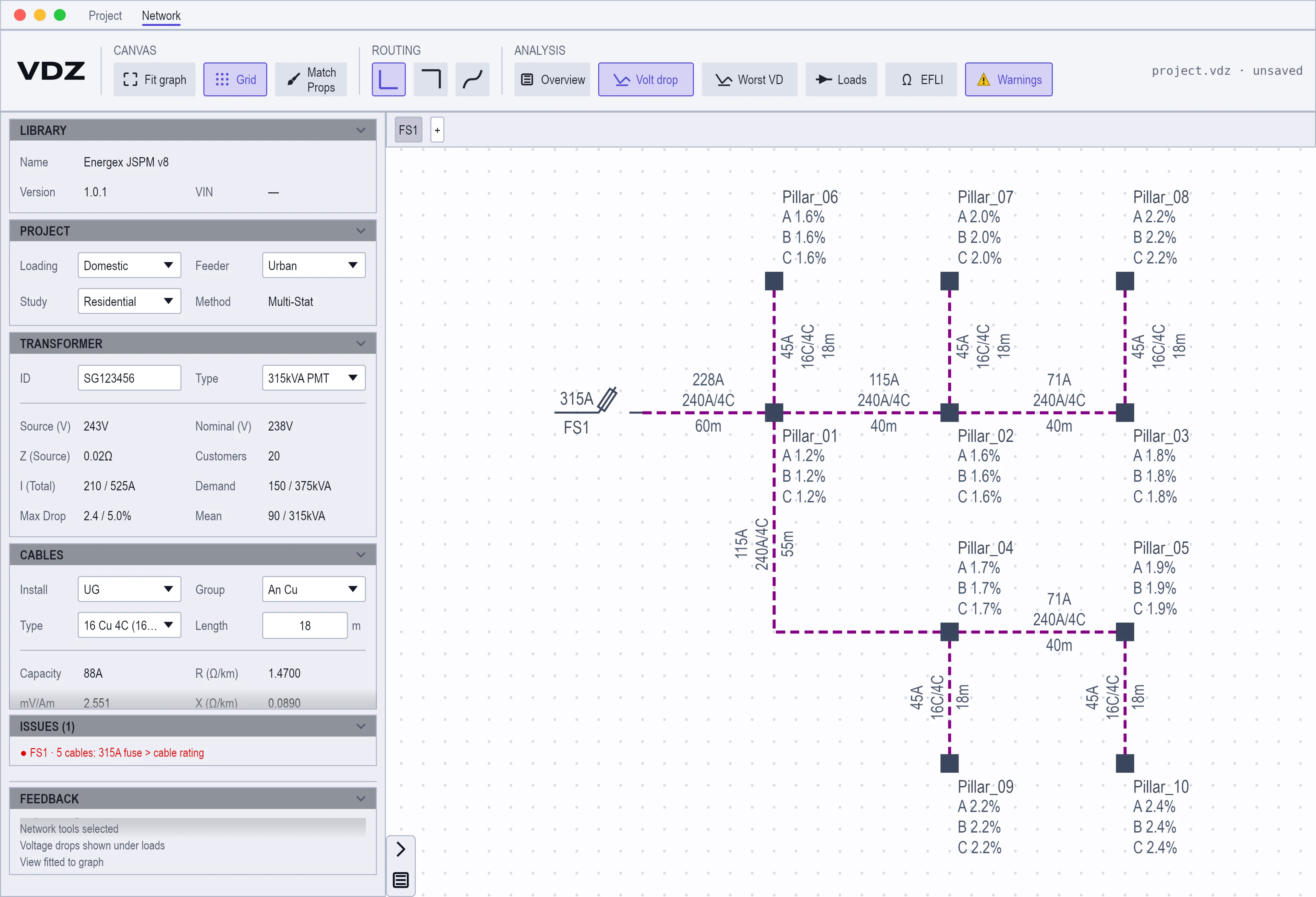
VDZ calculates while you draw
There is no run button. Give the project its library, give each cable a type and a length, and the figures appear under every load. Move a pillar or change a conductor and they update.
- Voltage drop on each phase
- The drop on phases A, B and C under every load, and the worst phase picked out for you. The worst case is checked against the limit your feeder type sets.
- Earth fault loop impedance
- Zs in ohms at each load, beside the voltage drop, so both checks come from the same drawing.
- Multi-Stat, as the manual sets it out
- The statistical method of the Joint Supply and Planning Manual (STNW3470), which Energex and Ergon Energy use to assess LV designs. Monte Carlo is there as a second opinion.
- One library per network operator
- Cables, loads, transformers and study settings live in a library file. Share one across the team and everybody designs from the same data.
- Bring your LVDrop and UDC work
- Import an LVDrop study and keep working on it as a drawing. Build or update a network from a UDC schematic and its lots.
- A report you can submit
- Export the drawing and its load data to PDF: each load with its quantity, its drop on all three phases and its EFLI.
VDZ runs on Windows 10 or later, macOS and Debian-based Linux.